
File uploads
An Upload block lets people attach files as part of signing up: a headshot for a program, a signed permission slip, a medical form, a résumé, a photo of their entry. You collect the files with the signup and download them from your dashboard.
File uploads are available on paid plans. Each file can be up to 50 MB. There is no limit on how many files a person attaches, or on the total for a sheet.
Add an Upload block
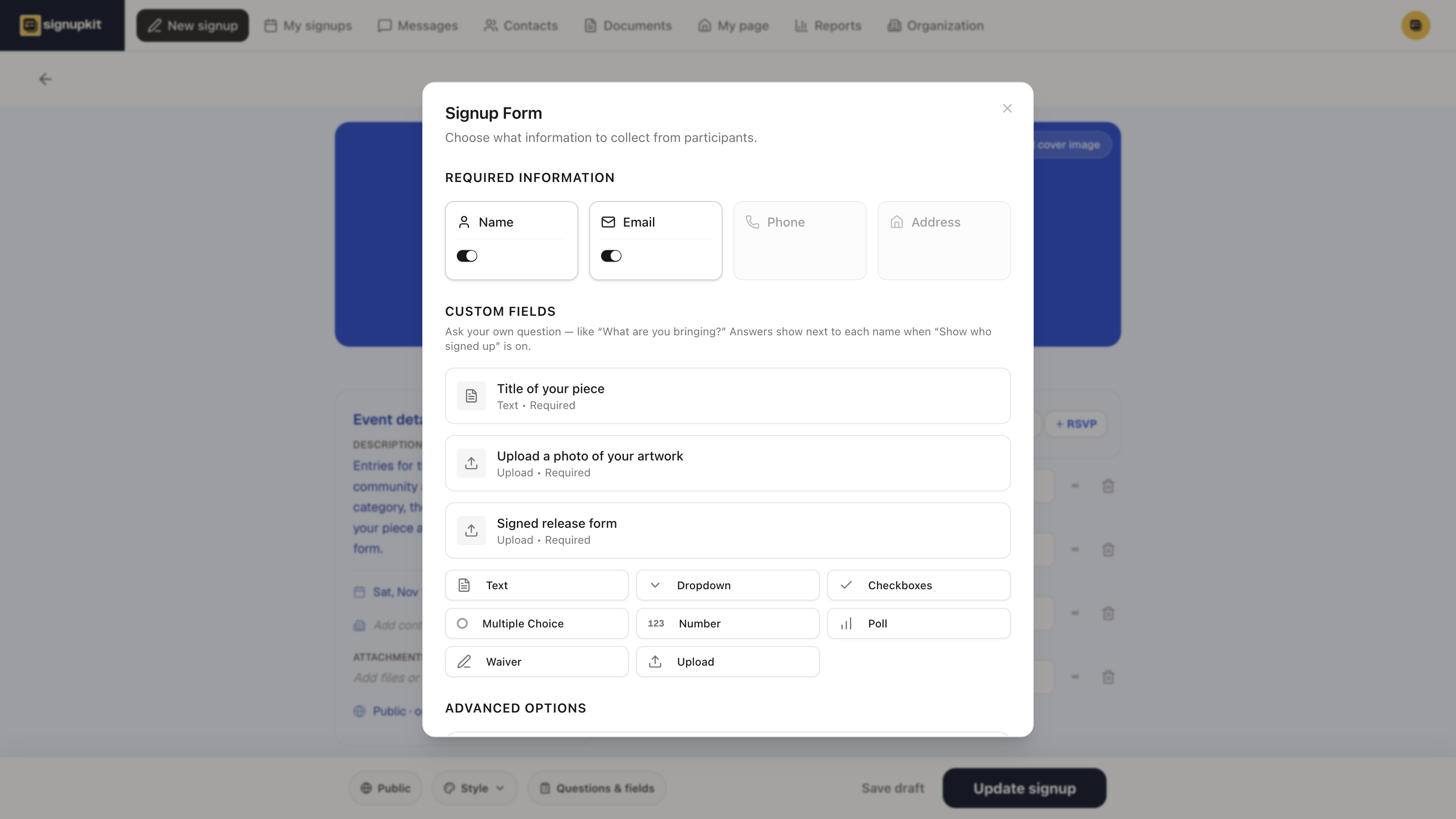
In the builder footer, open Questions & fields. Under Custom Fields, click Upload. The block is added to the list and its editor opens.
 1
1- Title is what people read above the upload button. It can be a question (“Upload your headshot”) or a label (“Medical form”).
- Description is optional. Use it to say what you need: “A clear photo, face to the camera,” or “Signed and dated, page 2 too.”
- Required means the person cannot finish signing up without attaching at least one file.
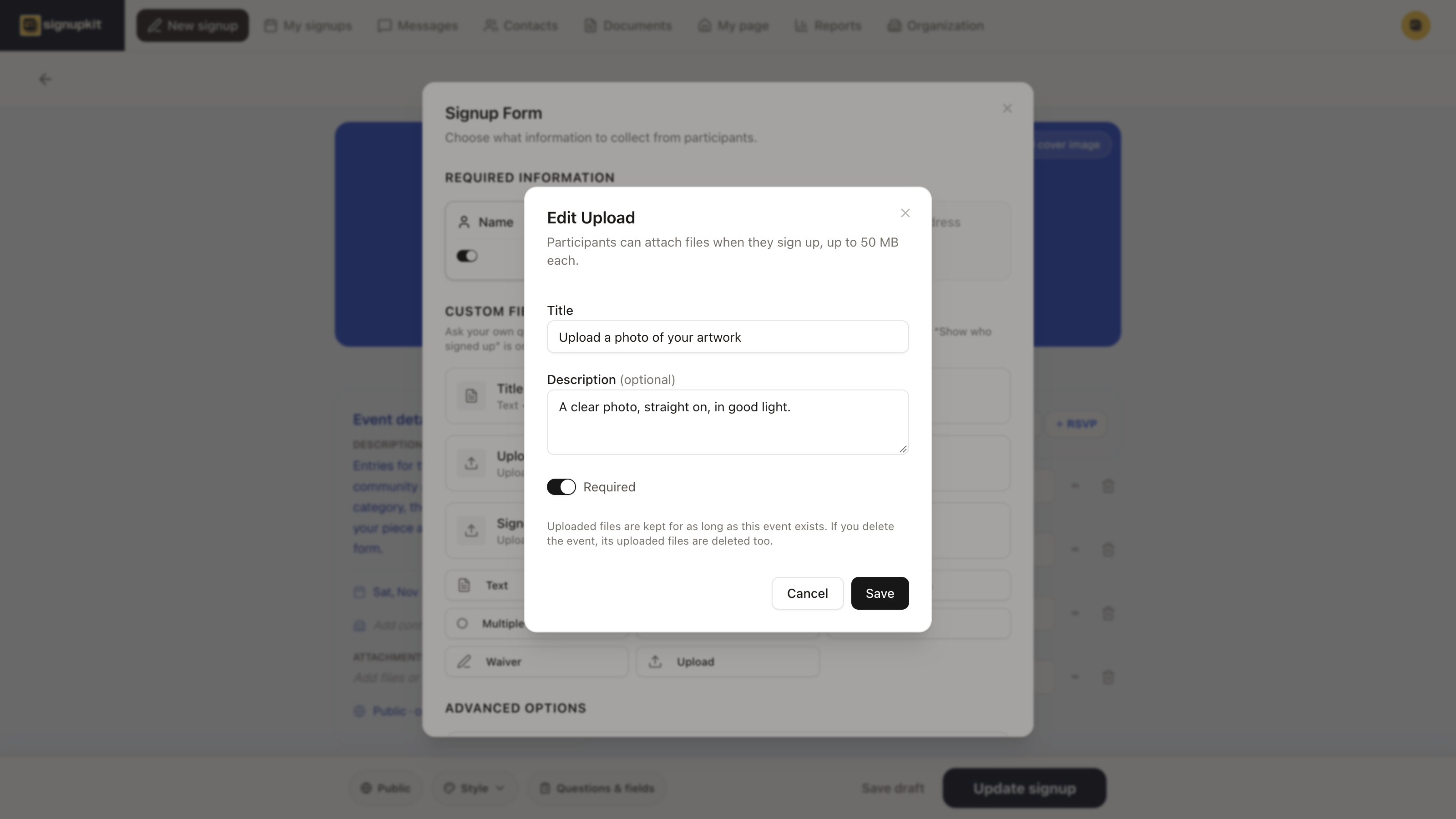
Need more than one kind of file? Add another Upload block. Each one has its own title and its own Required switch, so “Headshot” and “Medical form” stay separate on the sheet and in your downloads.
What people see
After picking a slot, each Upload block is its own step in the signup. People click Upload files, or drag files onto the box, and can pick several at once. Each file shows its progress, and the X removes one before they finish. They do not need a SignupKit account.
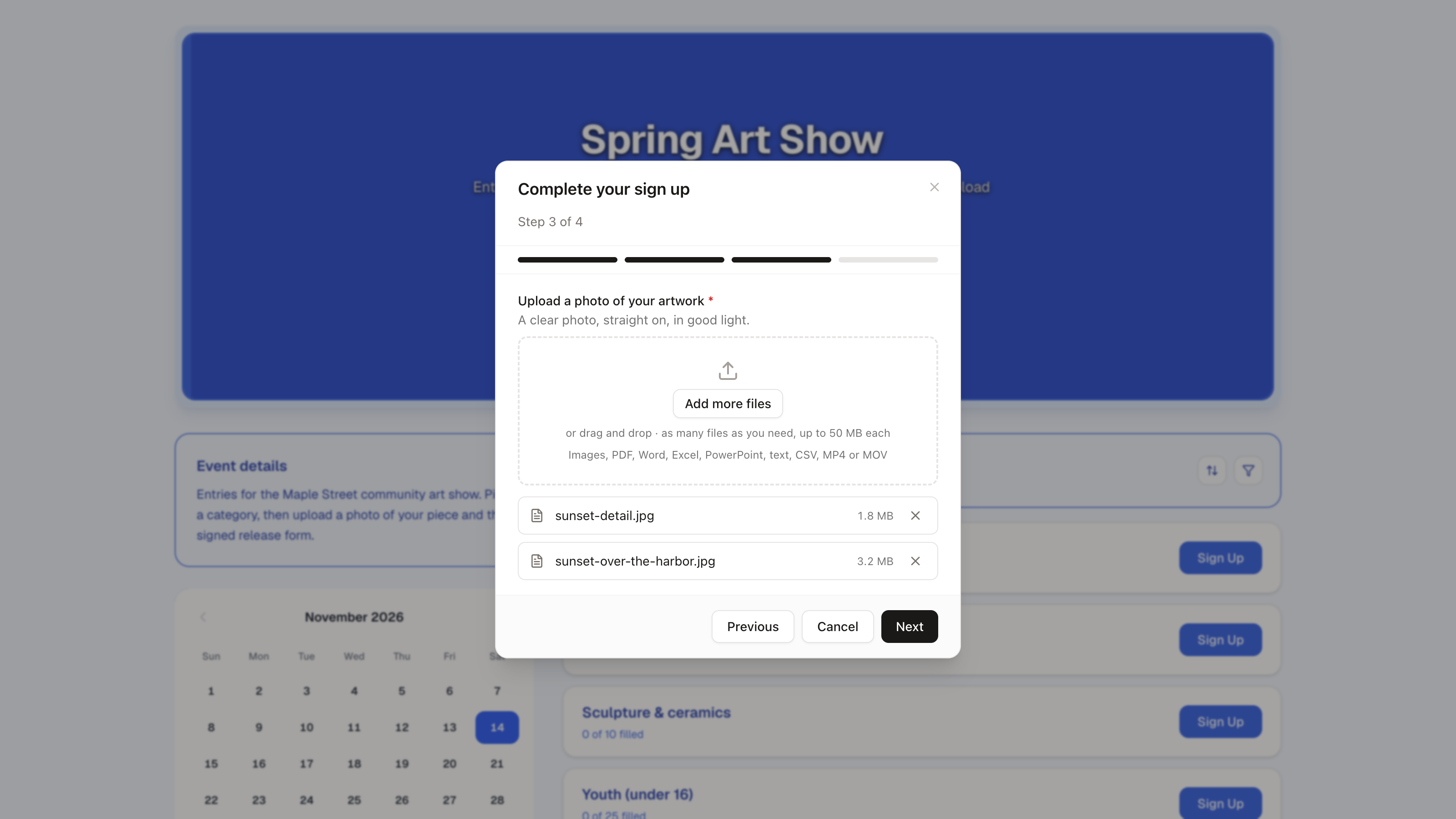
Accepted files: Images, PDF, Word, Excel, PowerPoint, text, CSV, MP4 or MOV. A file over 50 MB, or of another type, is turned away with a message, and the rest still upload.
Download the files
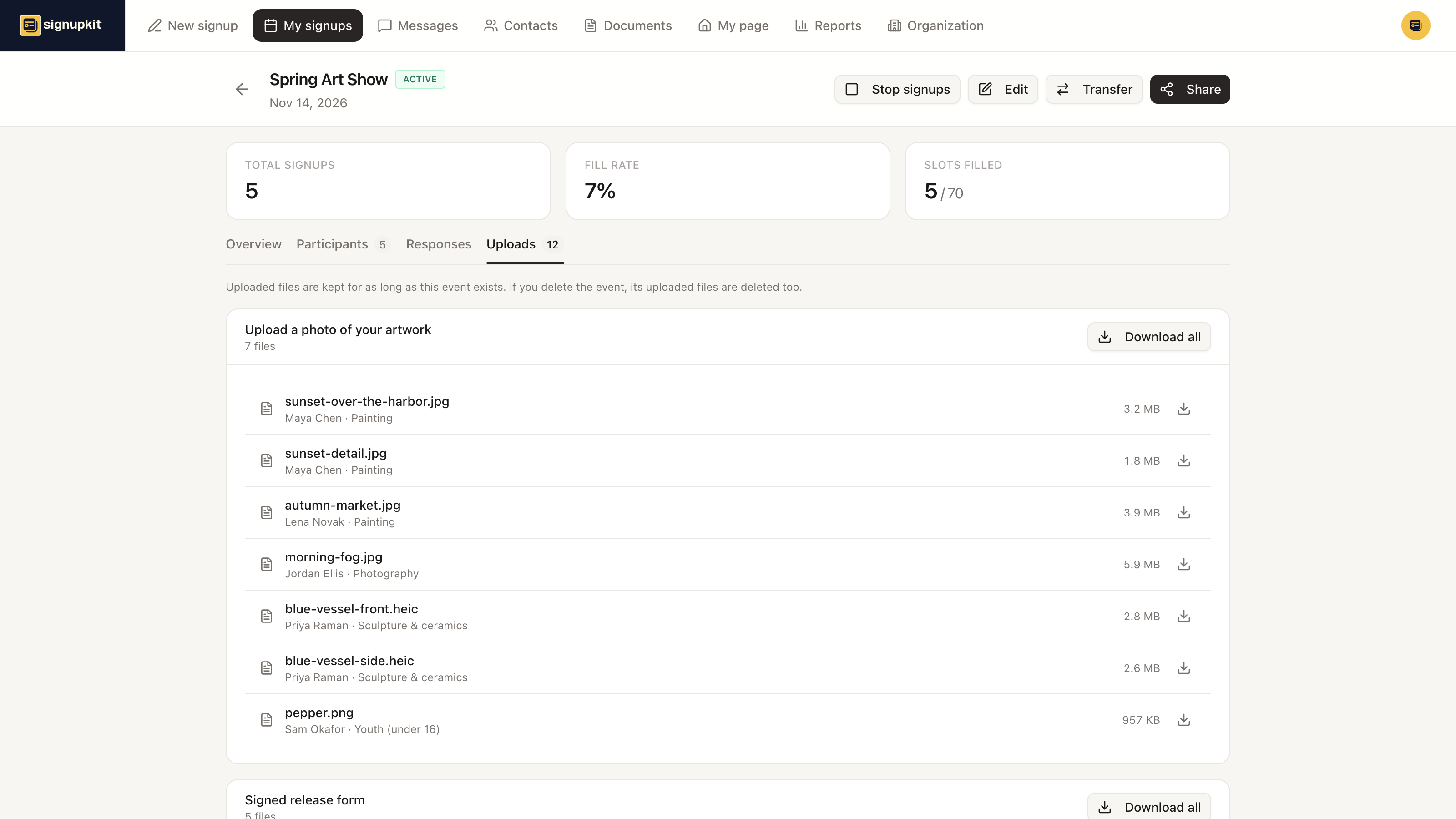
Open the signup from My signups. When the sheet has an Upload block, an Uploads tab appears. It lists every file under the block it was sent to, with who sent it and which slot they took. Click a file to download it, or use Download all for a whole block. Your browser may ask once to allow several downloads.
The Participants tab shows each person’s files in their row, and Export CSV adds a column per Upload block with a download link for every file. The links ask you to sign in, so a forwarded spreadsheet does not open the files for anyone else.