My page
My page is one address for you, not for a single event. People open it and see the events you have chosen to list. Each event still has its own signup link.
When to turn it on
Use it when you run more than one public event and want a single place to point people: a PTA, a church, a club. Skip it when every sheet is unlisted and you only ever send the direct link. Unlisted and password-protected events are not offered the “show on my page” switch, because those events are already kept off any public list.
How to set it up
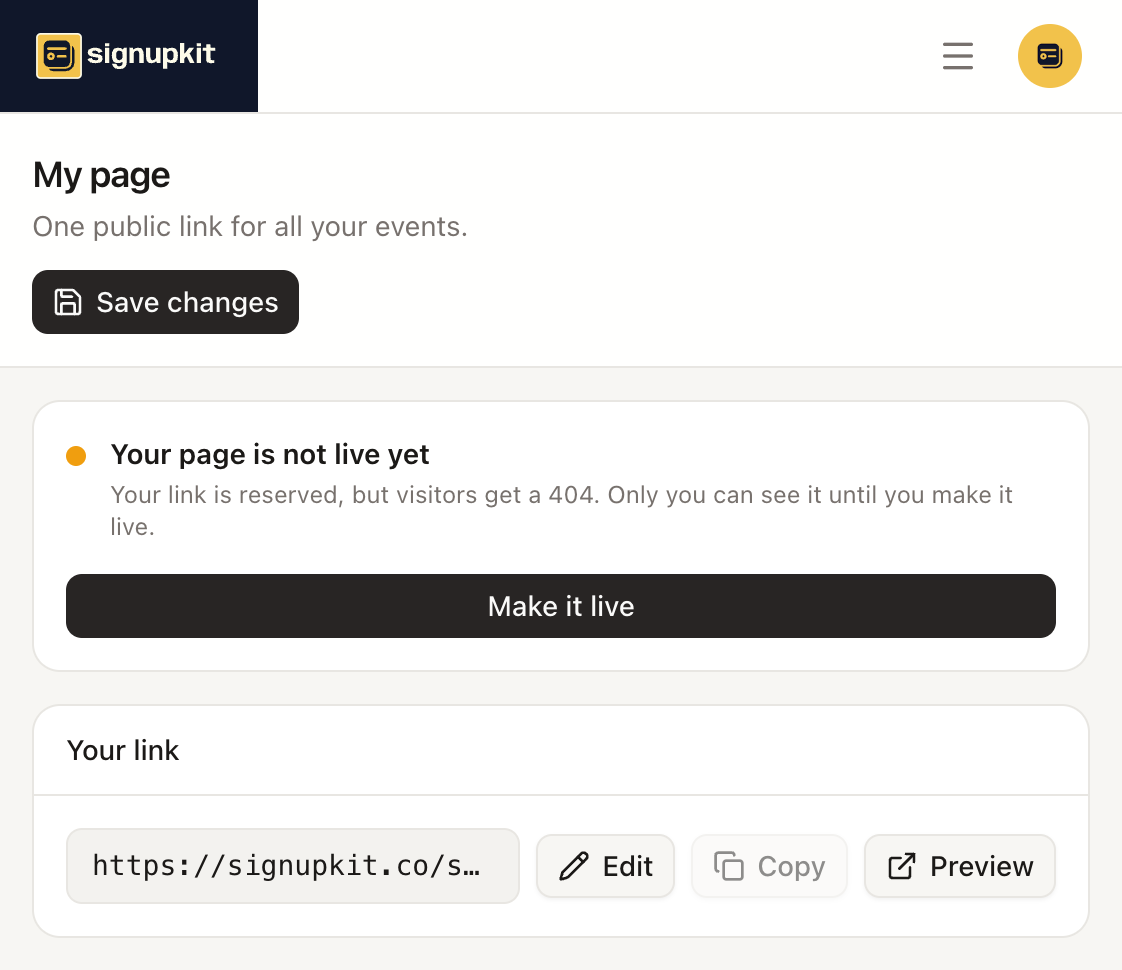
Open My page. Your link is signupkit.co/ and the username you choose. Edit changes that username. Copy puts the address on the clipboard. Preview shows the page the way you see it before visitors can. Make it live is what stops visitors from getting a 404. Until then, only you can open it. Save changes stores the name, tagline, about text, contact details, and social links.
Organization name is the title of the page. Leave it blank to use your own name. Contact name, email, phone, and website are the account defaults, so editing them here updates them for new sheets too. Show location on my page displays the city, region, and country. Email, phone, and website show whenever they are filled in.
Which events appear is decided on each sheet. In the builder’s visibility step, Show on my page lists that event here. A listed event that has a description can also appear in Google search. That switch is only on public events.
What paid plans change
Free pages show SignupKit branding. Paid plans remove that branding. Cover image, accent color, and the other presentation controls are paid. On a free plan those fields are stored but the public page uses the plain defaults, so a cover you set before a plan lapses does not keep showing.