
Tickets
A ticket is a slot with a price. Guests pay by card at Stripe Checkout. SignupKit does not hold the money. Ticket payments are available on every plan, including free. The sheet’s sign-up cap still applies.
When to charge
Use a price for a seat, a vendor booth, a class, or a fundraiser ticket. Leave the price empty for a volunteer shift or a potluck dish. One sheet can mix both: paid rows and free rows. Do not put a price on a date card. The price belongs on the item or the RSVP people claim.
Connect Stripe first
Open Settings, then Ticket payments, and click Connect Stripe. Ticket payments are in the United States only. You must be 18, or the age of majority where you live. Connecting creates a US Stripe account, and prices are in US dollars. Come back until the card says payments are ready. This Stripe account is only for tickets. Your SignupKit plan is billed separately, under Your plan.
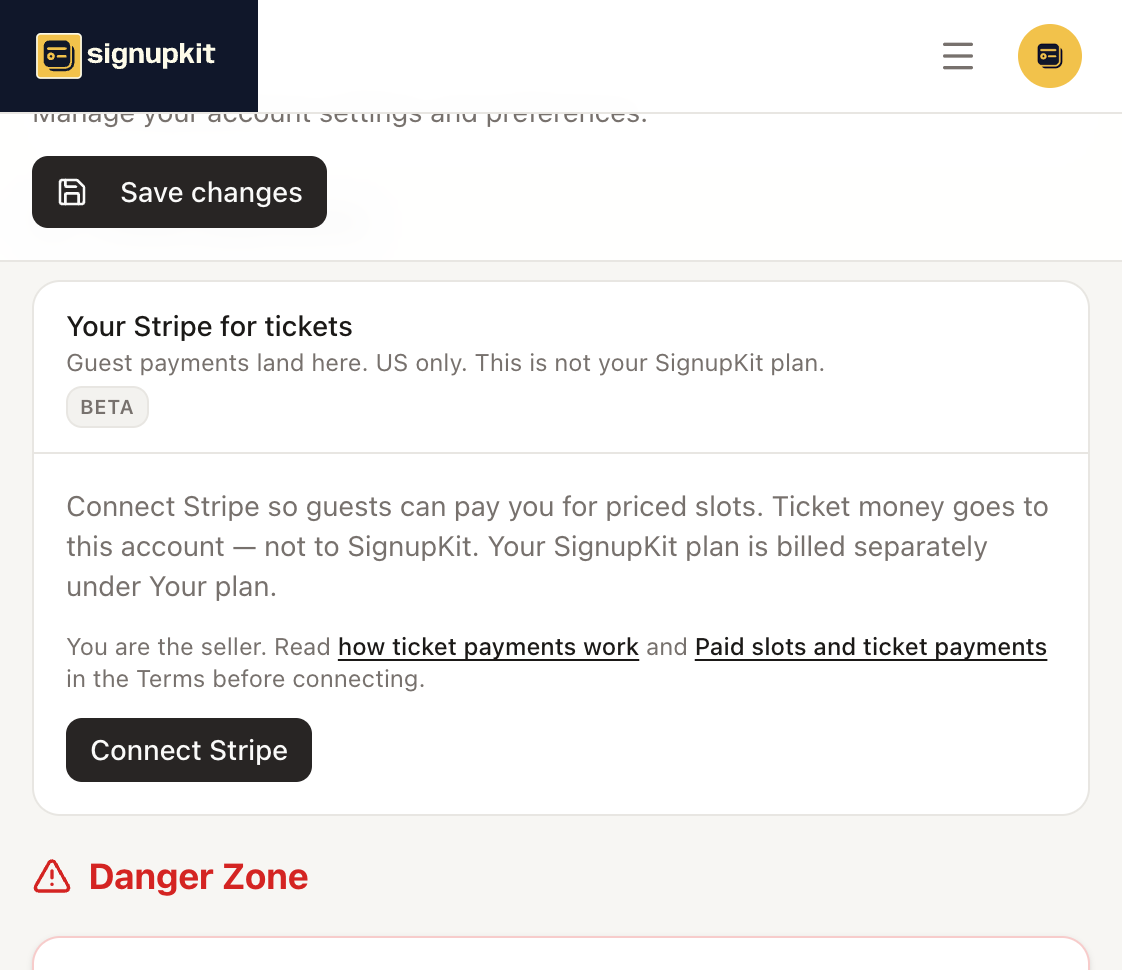
You cannot publish a sheet that has a priced slot until card payments are ready. Free slots on that sheet still work. If Stripe is not ready, the builder tells you to finish Ticket payments.
How to add a price
On an item or RSVP, open Add description, link, or price. The field is Price (optional), with a dollar sign. Type the amount, such as 12 or 12.50. Leave it blank, or clear it, for a free row. Guests see the price on the public page. They enter their name and any questions, then pay on Stripe Checkout. They do not need a SignupKit account.
If they cancel Checkout, they return to the sheet unpaid. The spot is held for a short time, then released. When Stripe confirms the payment, the signup is created, they get the same confirmation email as a free signup, and they show up on the Participants tab.