
Transfer a sheet
Transferring hands a sign-up sheet to someone else in your organization. Use it when an event changes hands, for example a new committee chair or a volunteer stepping down. Nothing about the event changes for the people signing up.
Hand a sheet to a colleague
- Open My signups and click the sheet.
- Click Transfer at the top of the page. On a phone, tap the ⋯ menu and choose Transfer sheet.
- Under Transfer to, choose the person.
- Click Transfer.
 1
1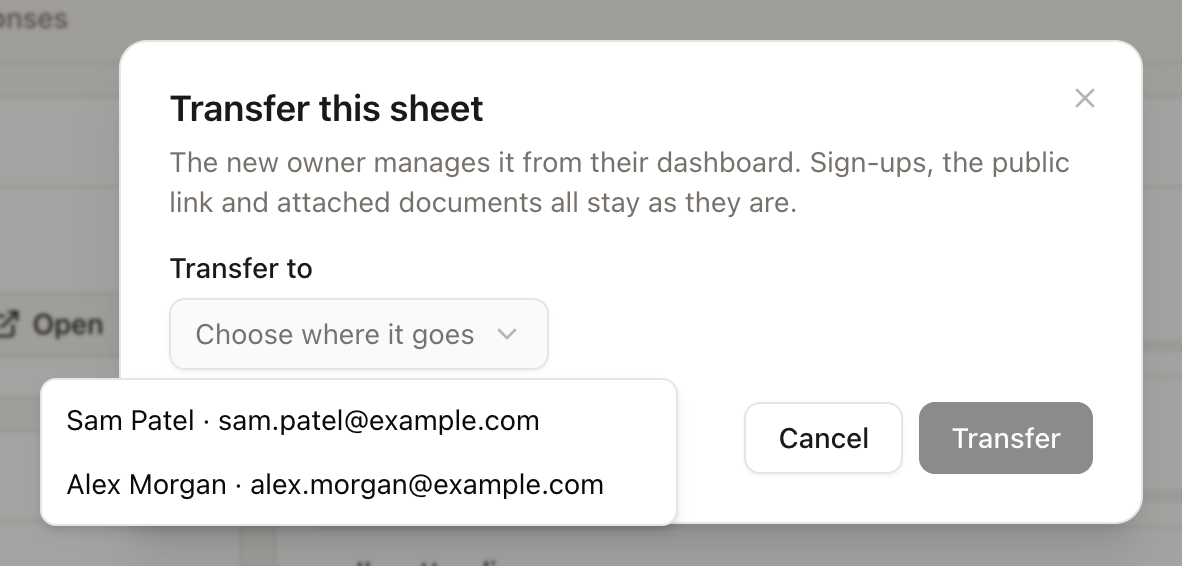 1
1The sheet appears under the new owner’s My signups and stays in the organization, so everyone else keeps their access too. The transfer is recorded in the activity log.
What stays the same
- Every sign-up, and the roster and export.
- The public link and QR code. Nobody needs a new link.
- Documents attached to the sheet. They move with it.
- Reminders and confirmation emails, which keep going out as scheduled.
Who can transfer
- The sheet’s owner can always hand it on.
- Owners and admins can transfer any organization sheet, including a colleague’s.
- Members can transfer the sheets they own. To move someone else’s sheet, ask an admin.
- Viewers cannot transfer sheets or receive them.
The person receiving the sheet must already be in the organization. If they have not joined yet, invite them first and transfer once they accept.
Move a personal sheet into the organization
A sheet you made before joining is personal. Open it, click Transfer, and choose your organization at the top of the list. It stays yours, and everyone in the organization can now see it. To move all your personal sheets, contacts, and documents at once, use Move my sheets into your organization at the bottom of the Organization page. See Organization.
When someone leaves
If a person is removed from the organization, their organization sheets move to the owner automatically, so no event is left without an organizer. To choose who takes over instead, transfer their sheets before removing them.