
Style
Style is how the public page looks. It does not change what people can sign up for. Set the slots and the questions first, then pick a look that matches the event.
When to change it
Leave the theme alone when the sheet is a quick internal roster and people only need to read the rows. Change it when the page is the invitation: a holiday party, a school fair, a fundraiser you will post publicly. The theme should match the occasion, not compete with the list of jobs. A potluck reads clearly on Potluck or Meadow. A conference reads clearly on Minimal, Modern, or Slate. A costume party can carry Halloween. A sheet with many rows is easier to scan in a quiet theme than in a loud one.
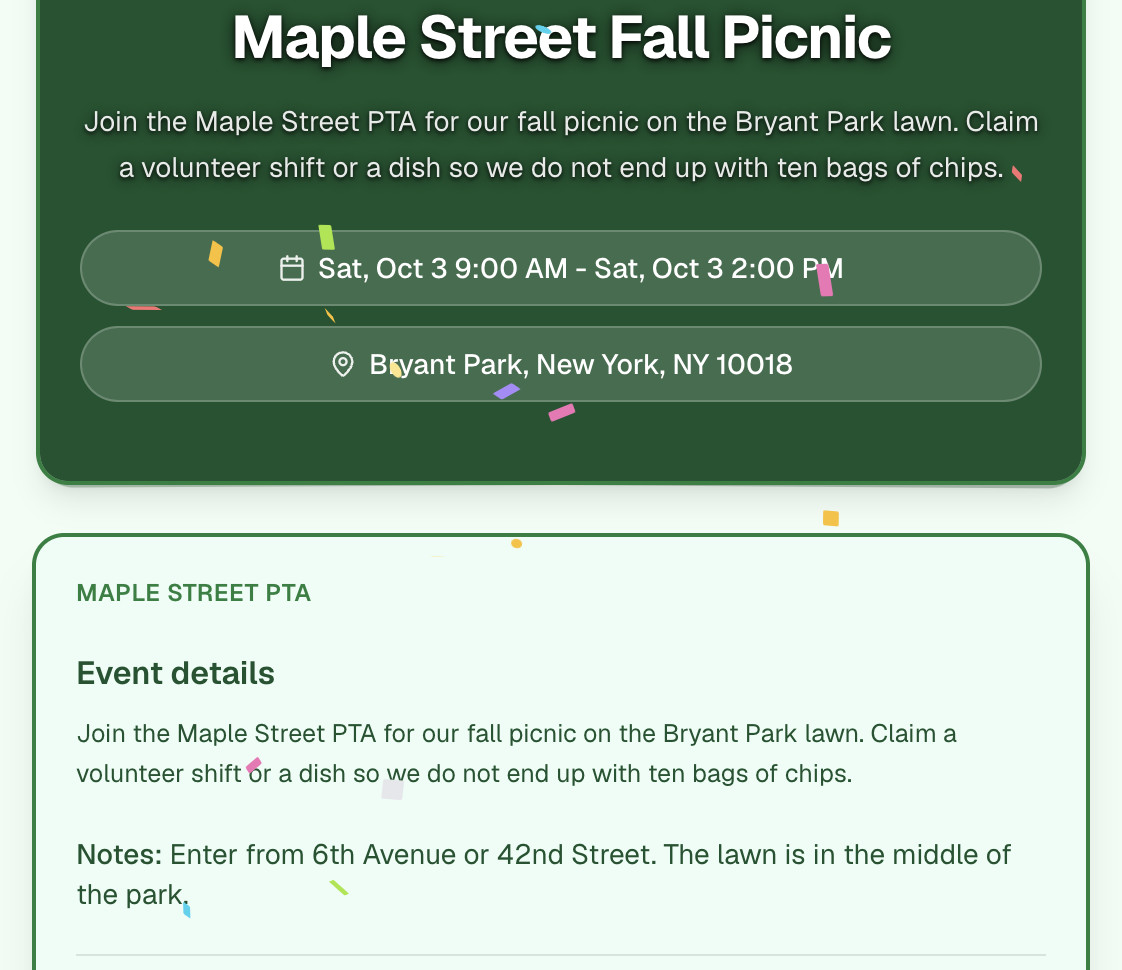
How to set a theme
In the builder footer, click Style. The panel opens above the footer. Click a theme. The sheet you are editing updates so you can see the choice on your own rows.
These themes are included: Minimal, Classic, Vintage, Sci-Fi, Pop, Halloween, Christmas, 4th of July, Potluck, Modern, Meadow, Coral, Linen, Sky, and Slate.
Elegant, Botanical, Ocean, Sunset, Lavender, Industrial, Sakura, Nordic, Carnival, Aurora, Animated Halloween, New Year, and Animated Christmas are paid. On the free plan they stay in the list and stay locked.
Colors
Under the themes, three colors override the theme: Page, Accent, and Text. Page is the background. Accent is the color on buttons and the slot controls. Text is the body copy. Use them when a theme is close and you need it to match a school color or a logo. If you have not changed them, the panel says you are using that theme’s built-in colors. Reset to theme puts the three colors back.
Keep text dark on a light page, or light on a dark page. Accent is for the controls people tap, so it should stay readable against the page. A custom color does not change the wording of the slots.
Effects
Effects are motion on the published page: snow, fireworks, confetti, cobwebs, spiders, pumpkins, snowy trees, snowmen, and snow drifts. You can turn on up to three at once. They are paid. On the free plan each one is locked.
Add an effect when the page is a greeting, such as confetti on a celebration or snow on a December party. Skip them on a sign-up people will use on a phone in a hurry, such as claiming a shift. Clear removes every selected effect. The line under the chips tells you how many of the three are on, and that they animate on the published page.